

Remove Email Account From iOS
Last updated: Sep 10, 2026
77
views

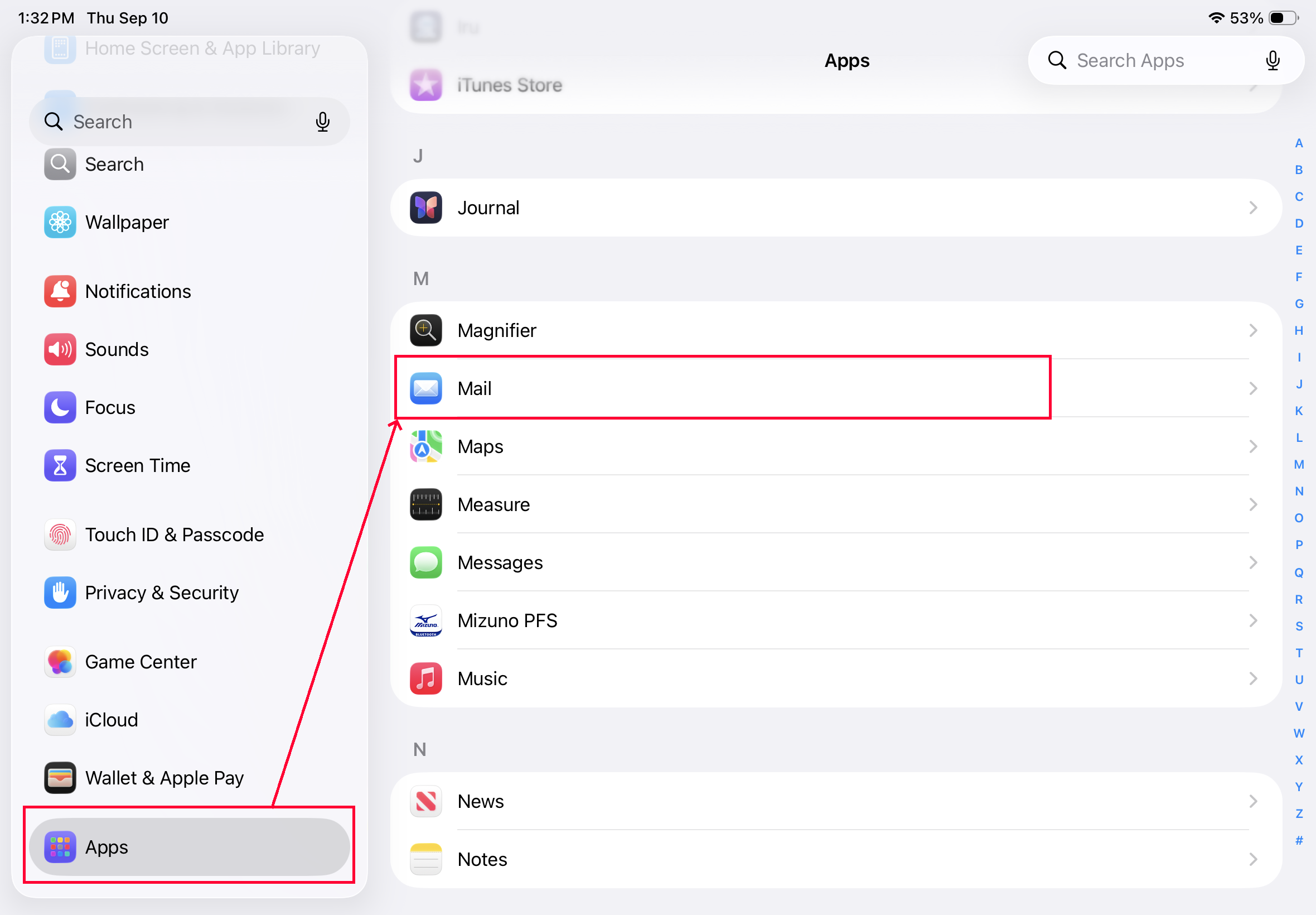
Open the settings app on your iPad and go to Apps->Mail
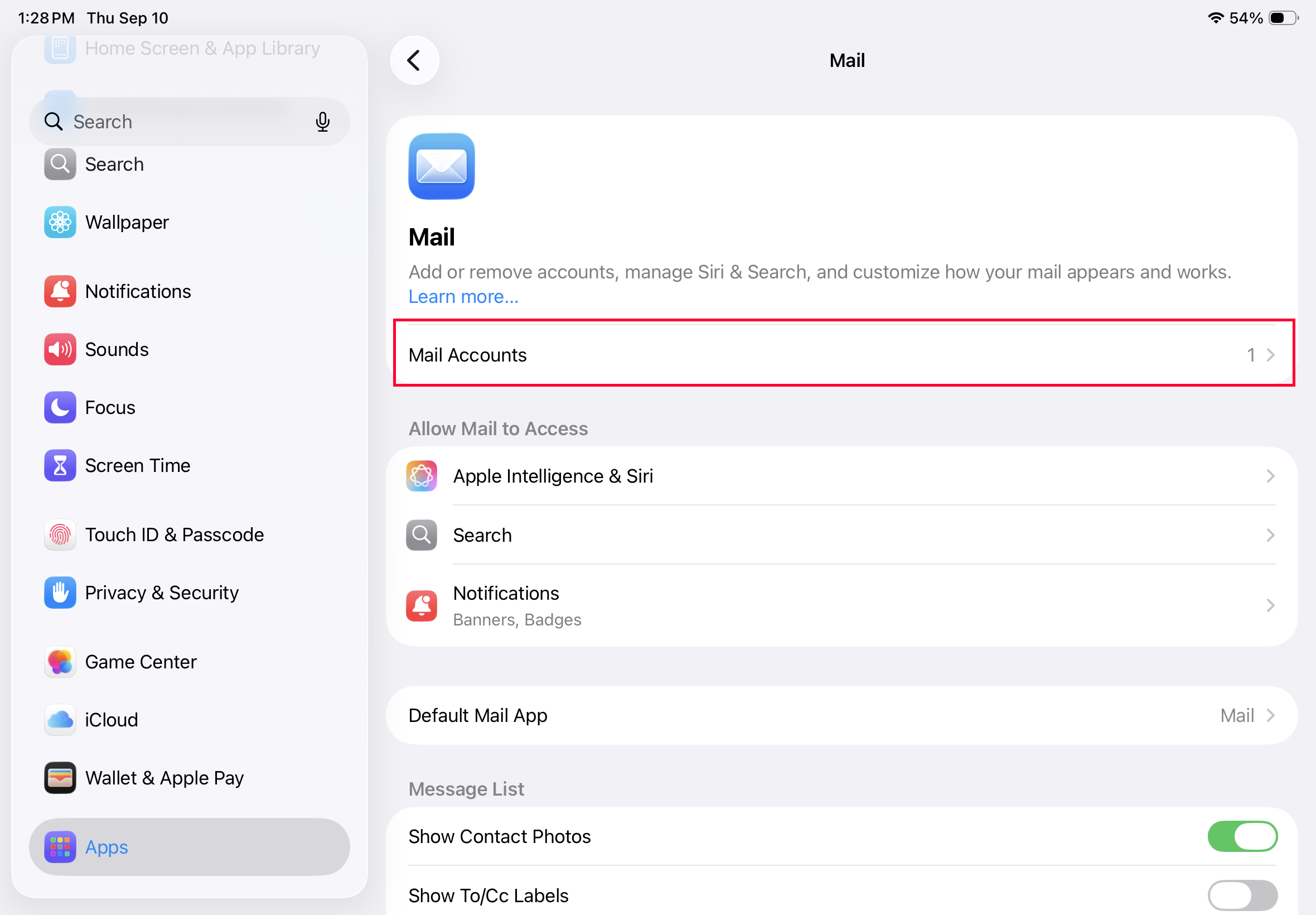
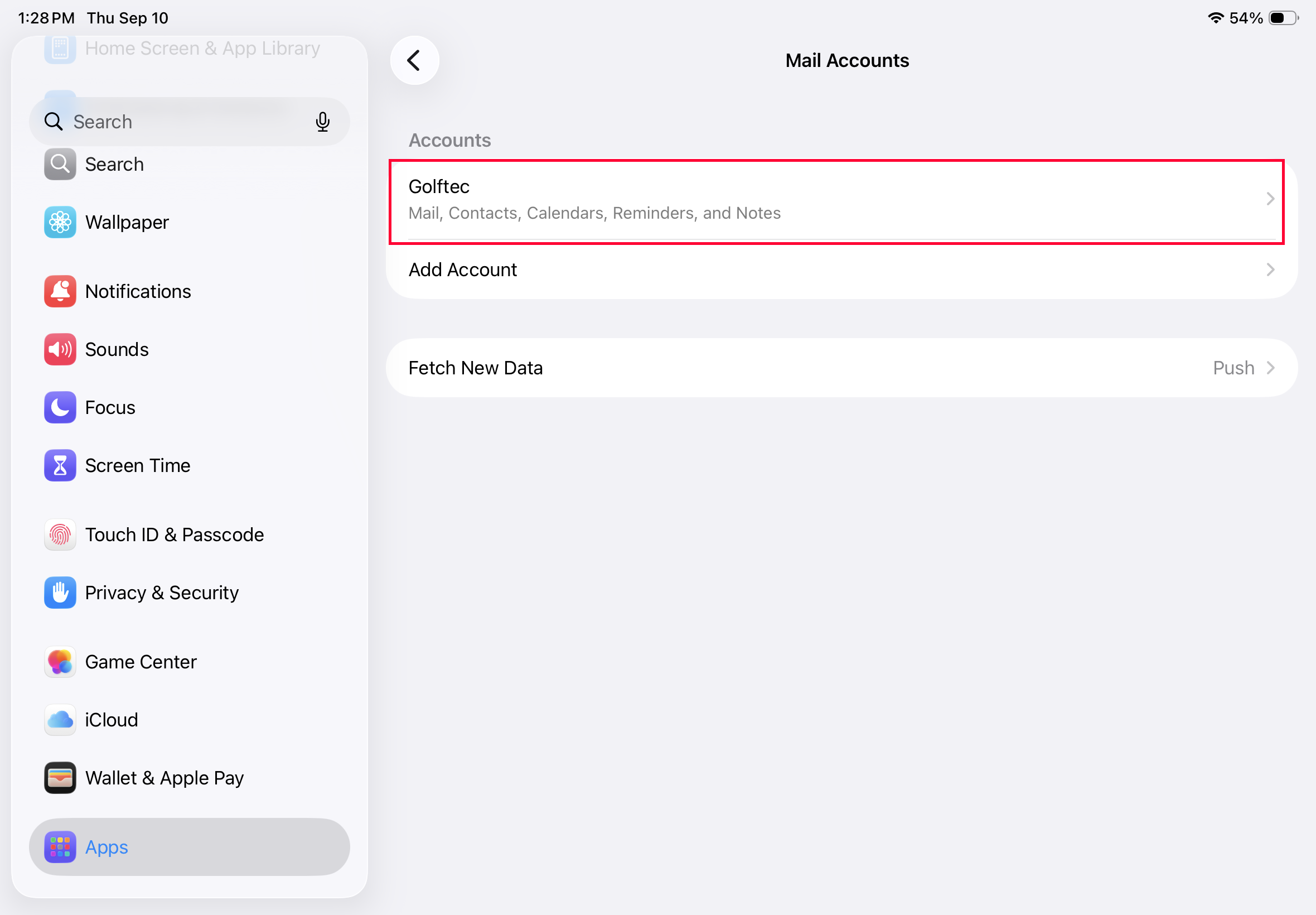
Then click on mail accounts and click on your Golftec mail account
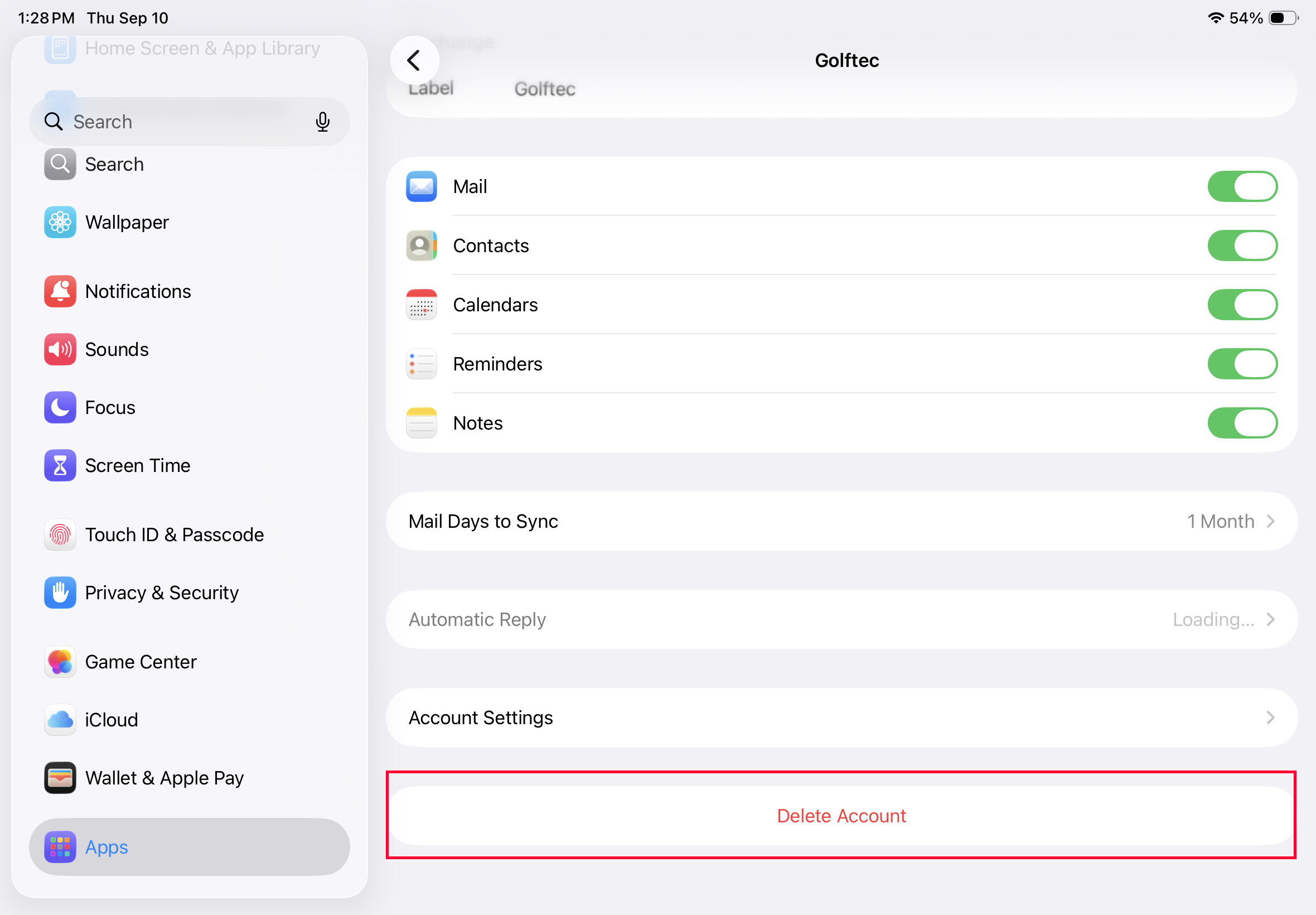
Scroll down to the bottom and click 'delete account'
And then click the confirmation
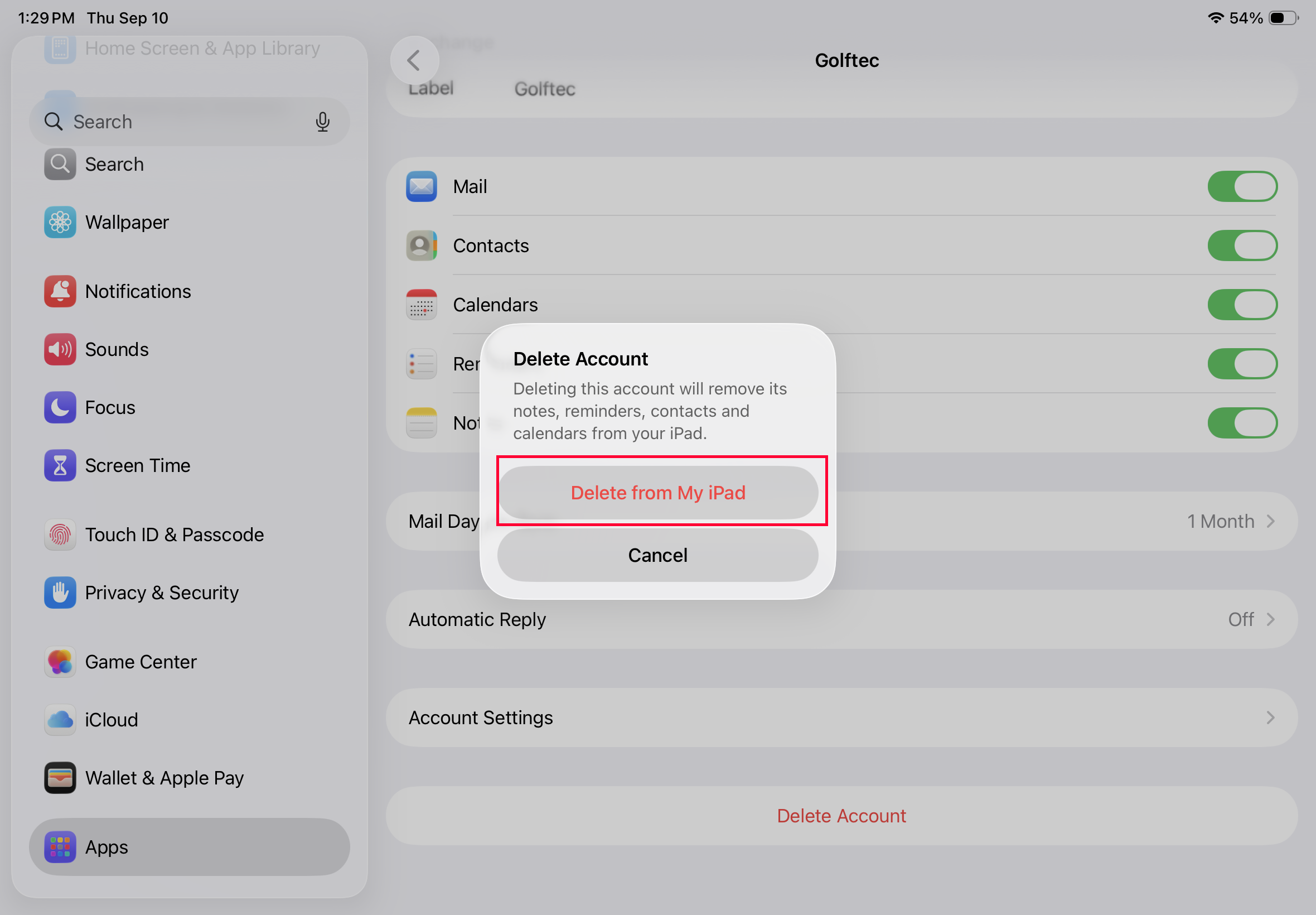
This does NOT delete your email or any of its contents, it simply removes the account from your iPad so you can re-add it. Go here to re-add your email to your iOS device.

