


Setting Up Printers at HQ (Mac)

Mar 26, 2026
 27
27
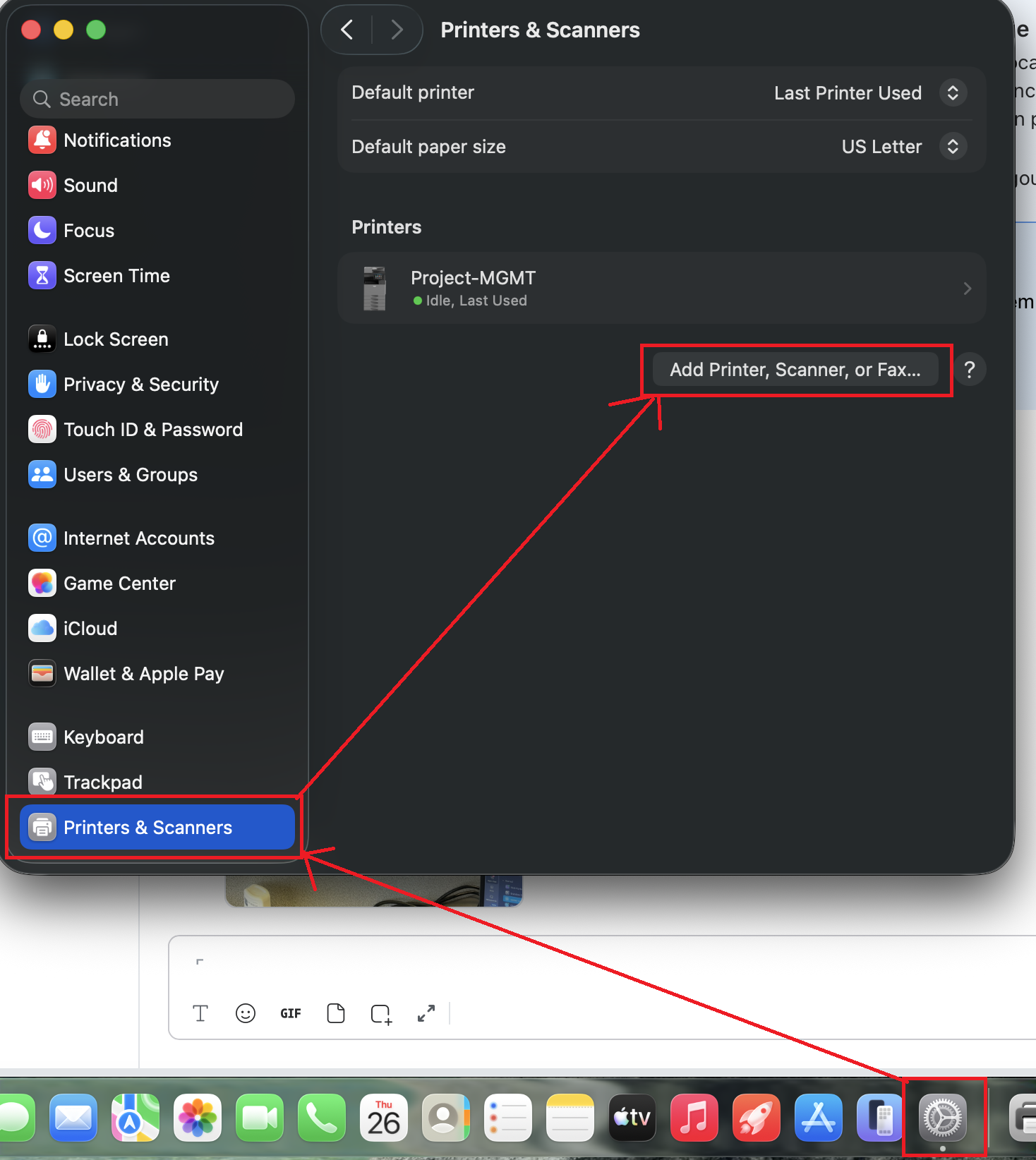
Open system preferences->printers and scanners and choose "Add printer, Scanner, or Fax":
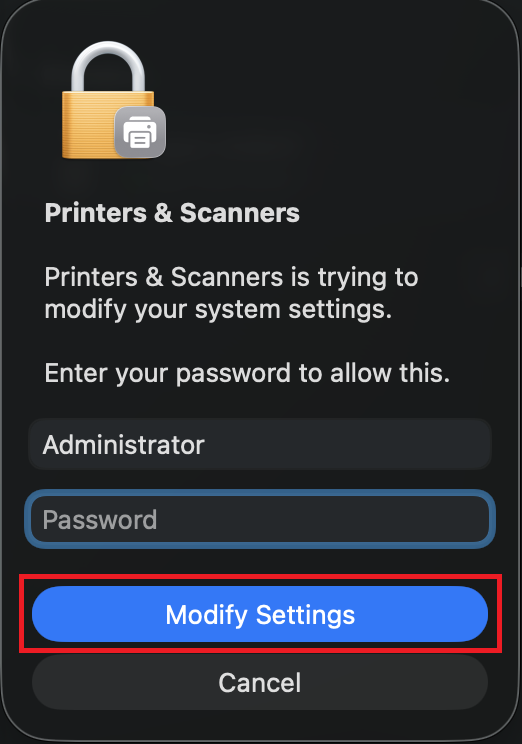
Type in your account's password (the one you use to sign in to your mac every day) and hit "Modify Settings":
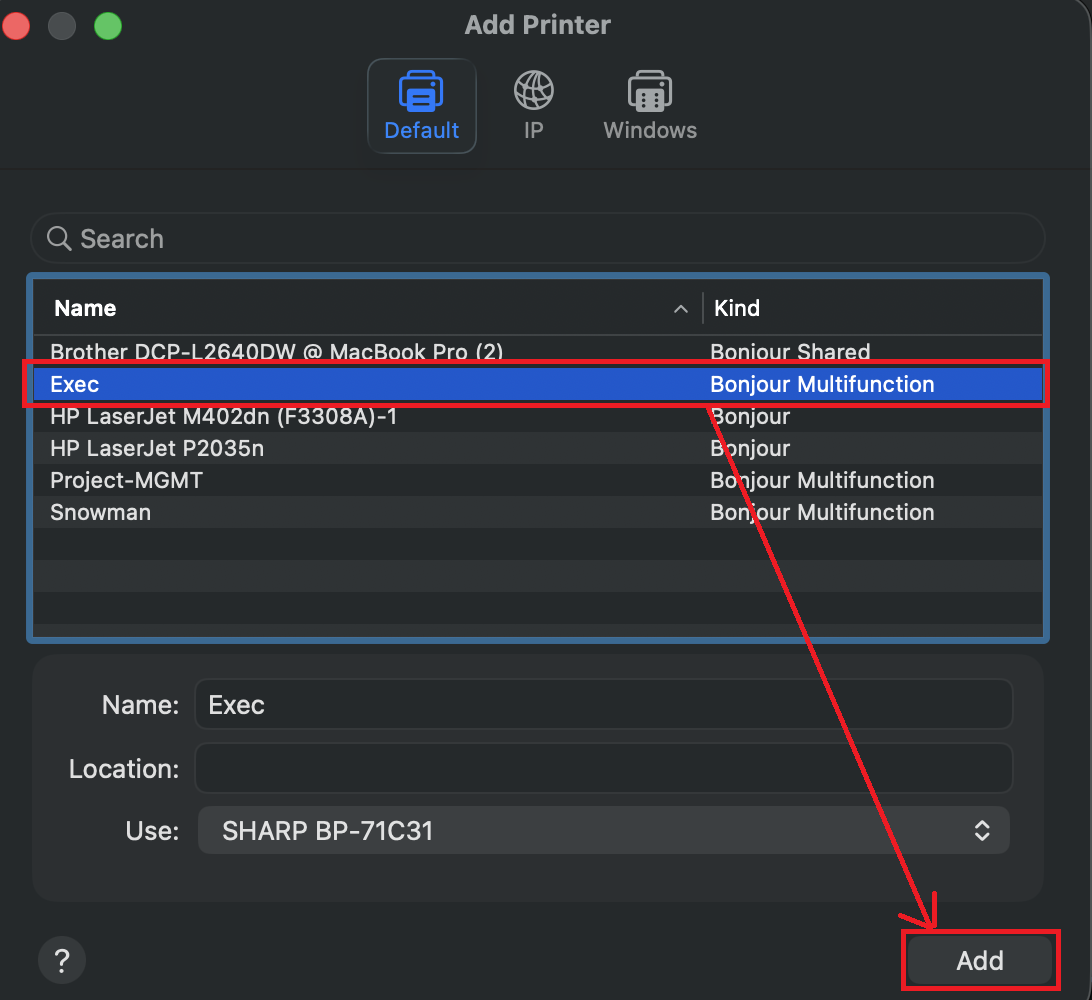
Click on the printer you want to add then click "Add" at the bottom:
From there you should be able to print. If not, you can try restarting your mac. Please let IT know if you are having any issues.

