


 48
48
Navigate to the Brother driver downloads page for your model of printer. For this example, I am going to be linking a MFC-L5850DW.
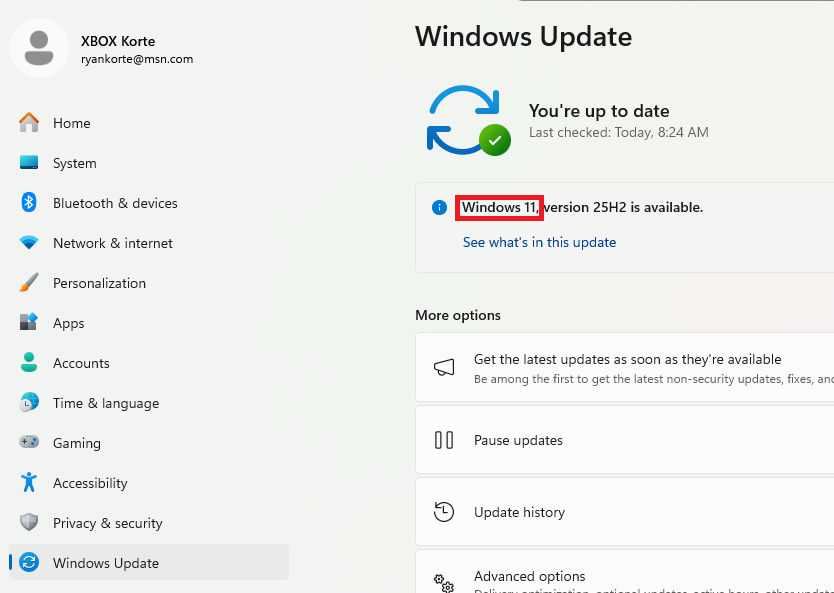
First, check if you are on Windows 11 or Windows 10. Do this by going to settings->windows update and checking the version:
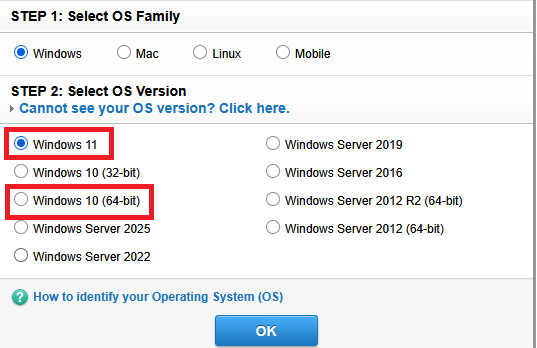
Next, choose the appropriate driver package for your system.
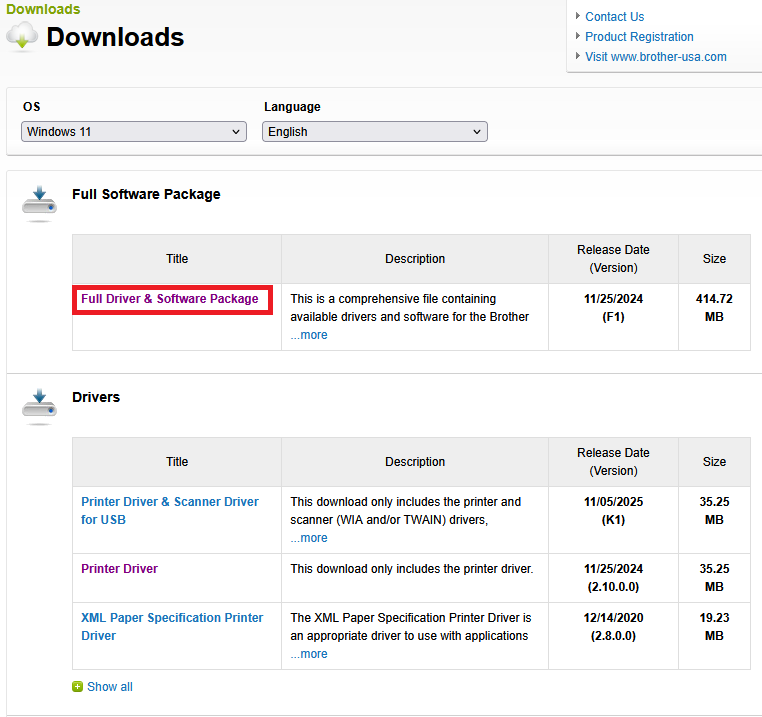
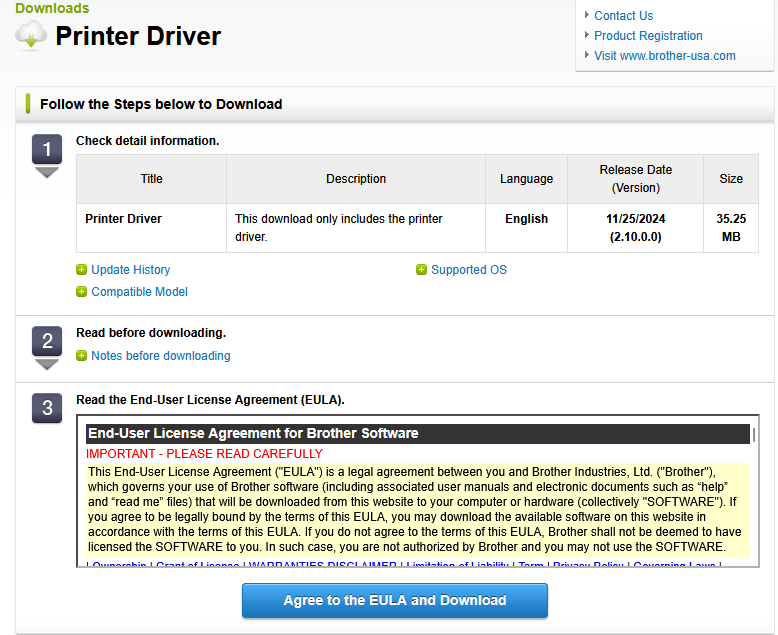
On the next page, choose 'Full Driver & Software Package' and then click 'Agree to the EULA and Download'
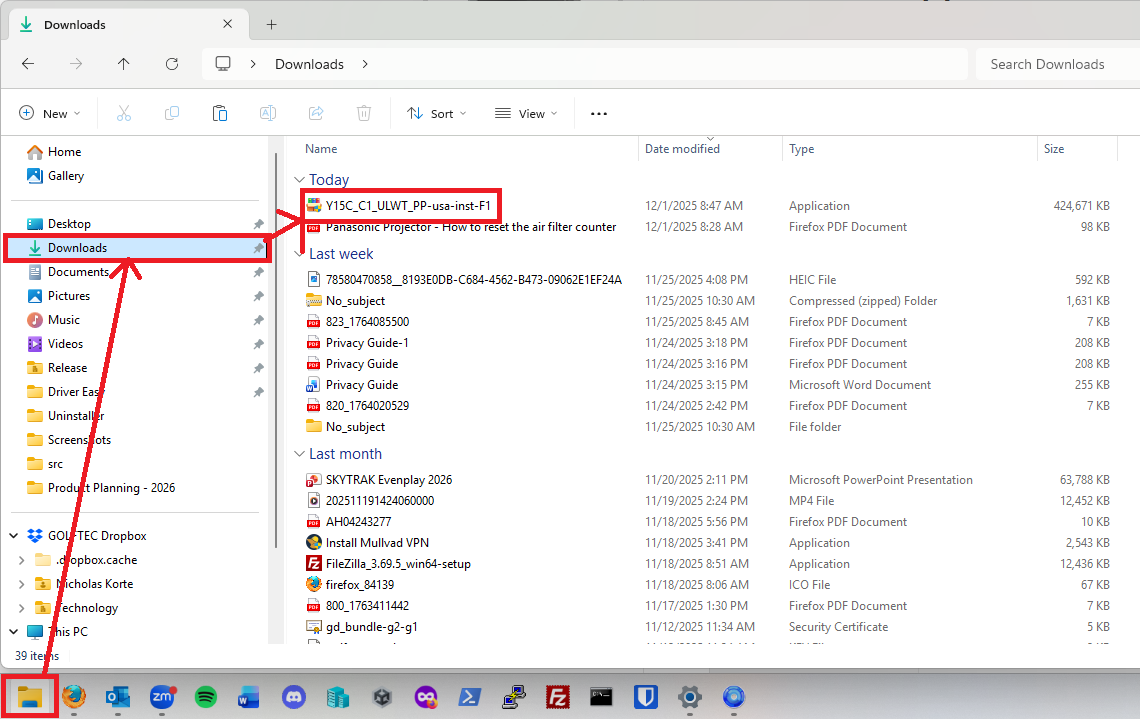
Now that we have the driver downloaded, it's time to run it. Go to your file explorer and into your downloads folder. From there, double click the installer to run it:
Once the installer runs, click through the pages until you get to the connection type. Choose the connection type you want, most people will use wireless or wired:
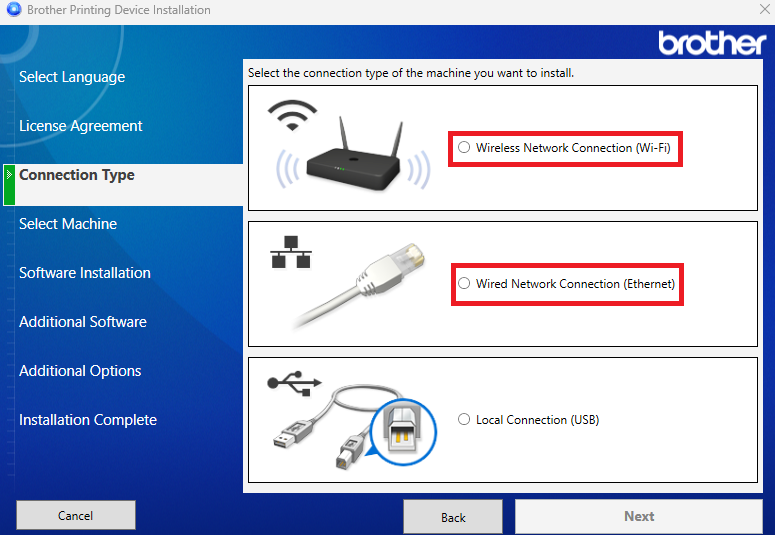
Once you click next, the brother app will find your printer if it's connected to the network and then you can click through the rest of the screens. Once it's done installing all the necessary software, you should be able to print from your Brother printer.
Reach out to IT for any questions you have or if you cannot get any of these steps to work.
Thanks!

