


We no longer support wireless handsets, but if you are experiencing issues with one of yours, before we replace it with a wired handset, you can follow the directions below to see if there is a quick resolution.
For issues where the Yealink phones say "data initializing" or if phone calls are coming through but you cannot hear customers on the other end:
Swap the power cable on the main base station with the power cable on one of the phone cradles.
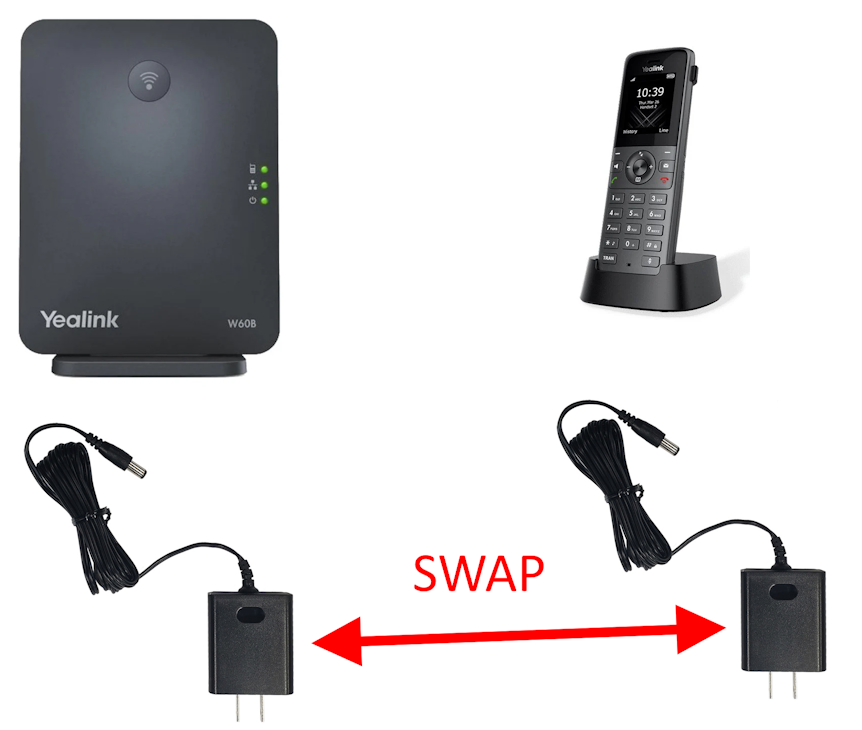
If the image above does not load, use this link to see it
If the phones sound muffled or "crackly" or "underwater" please try moving the Yealink base (imaged below) on top of the desk or near the Unifi firewall. This will greatly improve the sound quality.
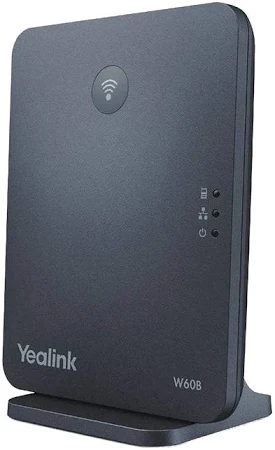
If you've moved it and it still is not sounding clear, please reach out to center support and ask about swapping or replacing ethernet cables for your Yealink base.
If you're Yealink handset will not charge or turn on:
- Check the battery seating in the back of the handset
- Plug it in to a known-working charging cradle
- Swap the battery packs between two handsets and see if the issue follows the battery, if it does, tell IT you need a new Yealink handset battery
- If swapping batteries does not get the handset to work, reach out to IT and let them know you need a new Yealink handset
If the connection on your phones is going in and out consistently:
- Please follow the steps above on swapping power supplies between the handset and charging cradle
- Try swapping in a new ethernet cable (you should have some lying around, but if not, you can temporarily grab one from a bay)
- Try using a different ethernet port on the netgear switch (the thing the Yealink base is plugged in to)
If none of those worked, please reach out to IT letting them know you need a new power cable (most likely cause in this scenario)
If you have gotten a new Yealink phone and need help setting it up:
Here is a YouTube video on pairing a yealink phone to the yealink base. Even if the phone you get looks different, the process should be the same. After the phone is paired, it will need to do a 15 minute firmware update. Then the phone can be used.
https://www.youtube.com/watch?v=dKABH0FRHn0
If you feel that you need any new hardware, and have approval from your center manager/DOO, you can use the links below to order more hardware for the wireless models.
Yealink Power Supply
Yealink W73H (Black Handset)
NOTE: Ordering a new base or new handsets requires someone on the IT team to provision it. These are not plug and play devices. Submit an IT ticket BEFORE ordering that hardware to ask for approval.
If none of the above worked for resolving your issue, let the IT team know that you need a new phone, please note that this will not be the same wireless model you are familiar with and it will be a wired phone instead.
Thank you!

