

How to Reset your SkyTrak + Launch Monitor

Nov 13, 2023
1802

How to Reset your SkyTrak + Launch Monitor
There may come a time where your SkyTrak Launch + Monitor needs to be reset in order to help resolve an assortment of issues. Please view the following instructions to assist you in performing a reset of your SkyTrak + Launch Monitor
1: Open the SkyTrak and connect to the application using USB/Direct/Network modes: https://support.skytrakgolf.com/kb/article/292-how-to-connect-the-skytrak-launch-monitor/
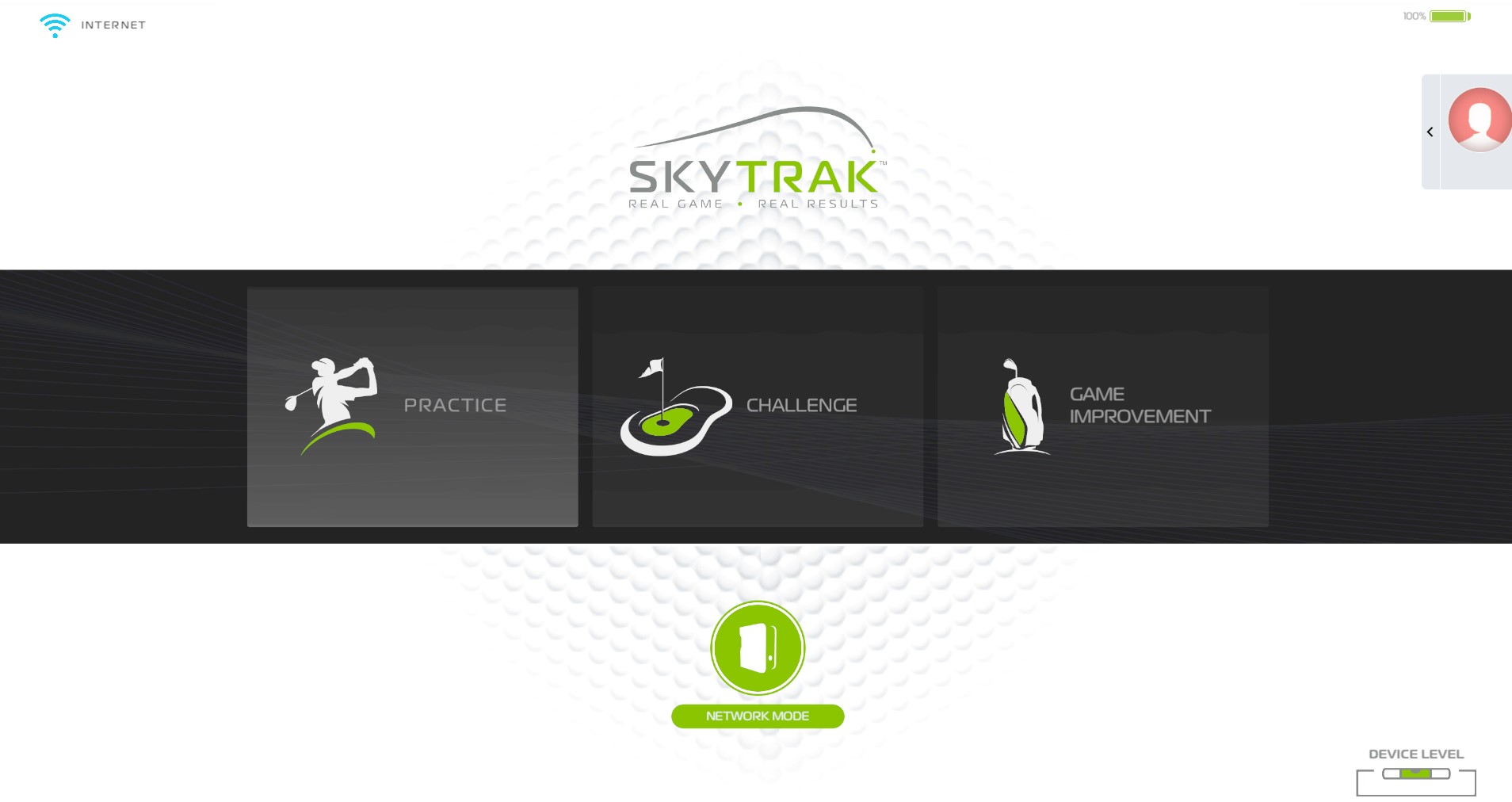
2: Go to your profile at the top right: 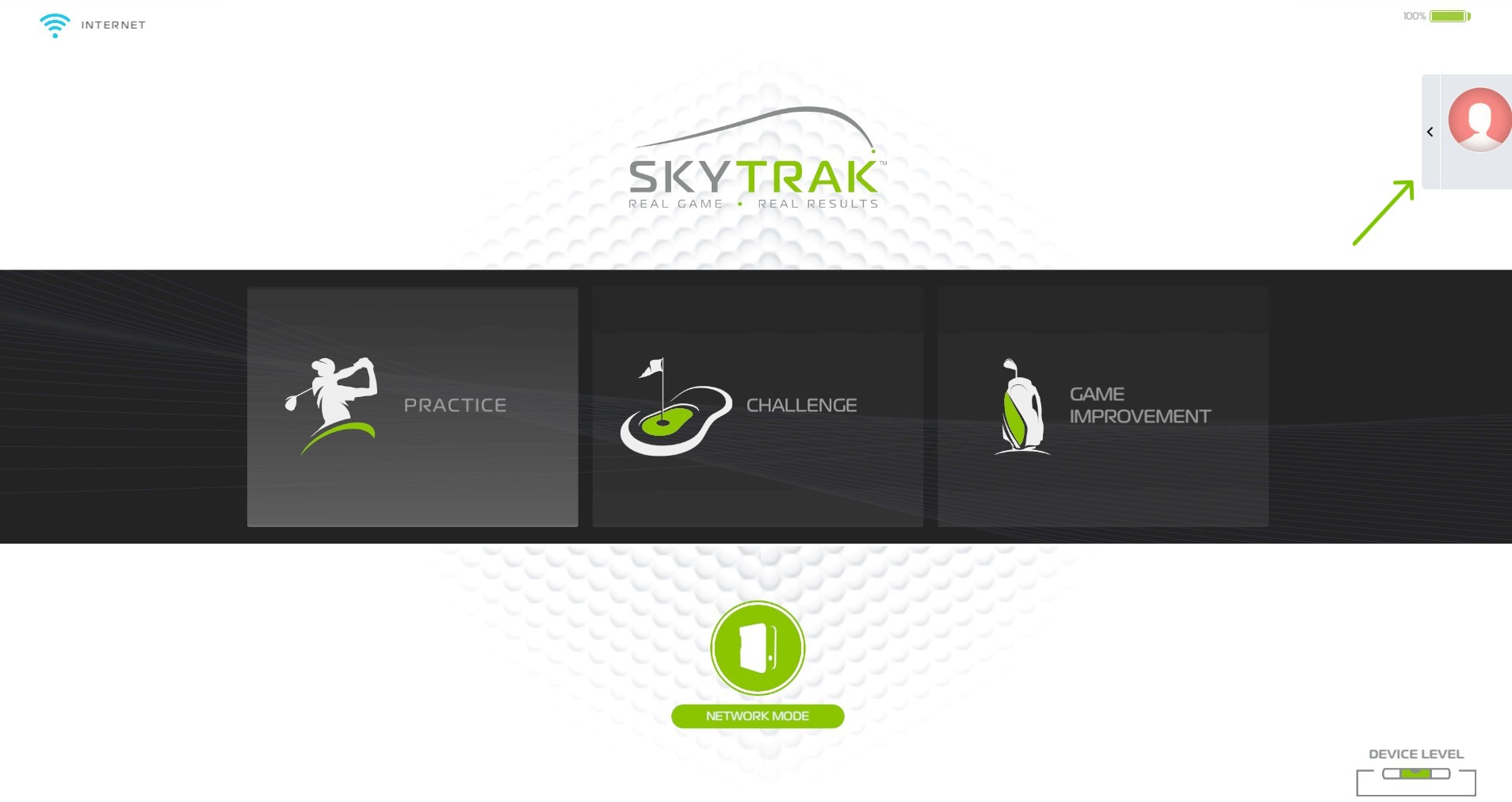
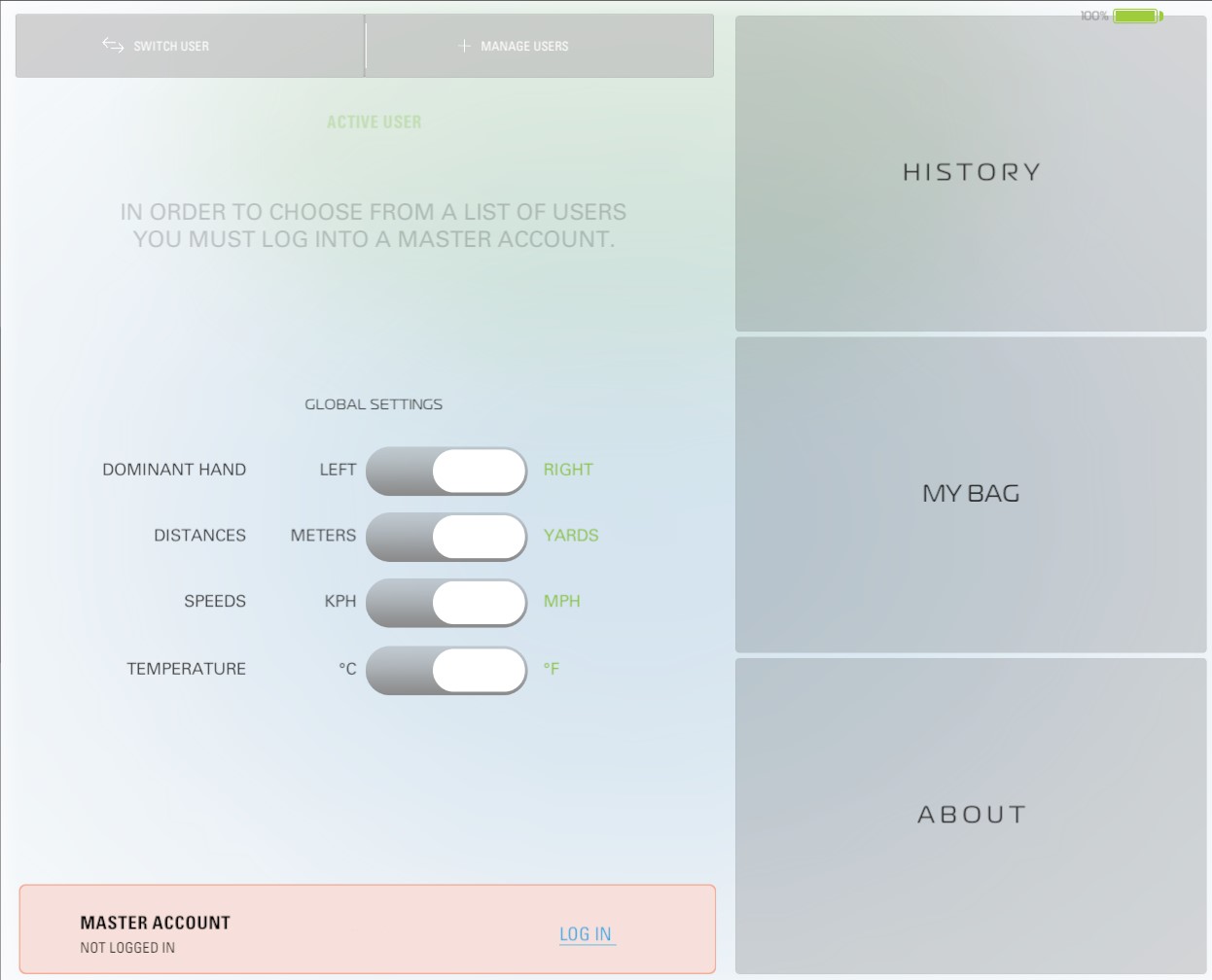
3: Go to about at the bottom right:
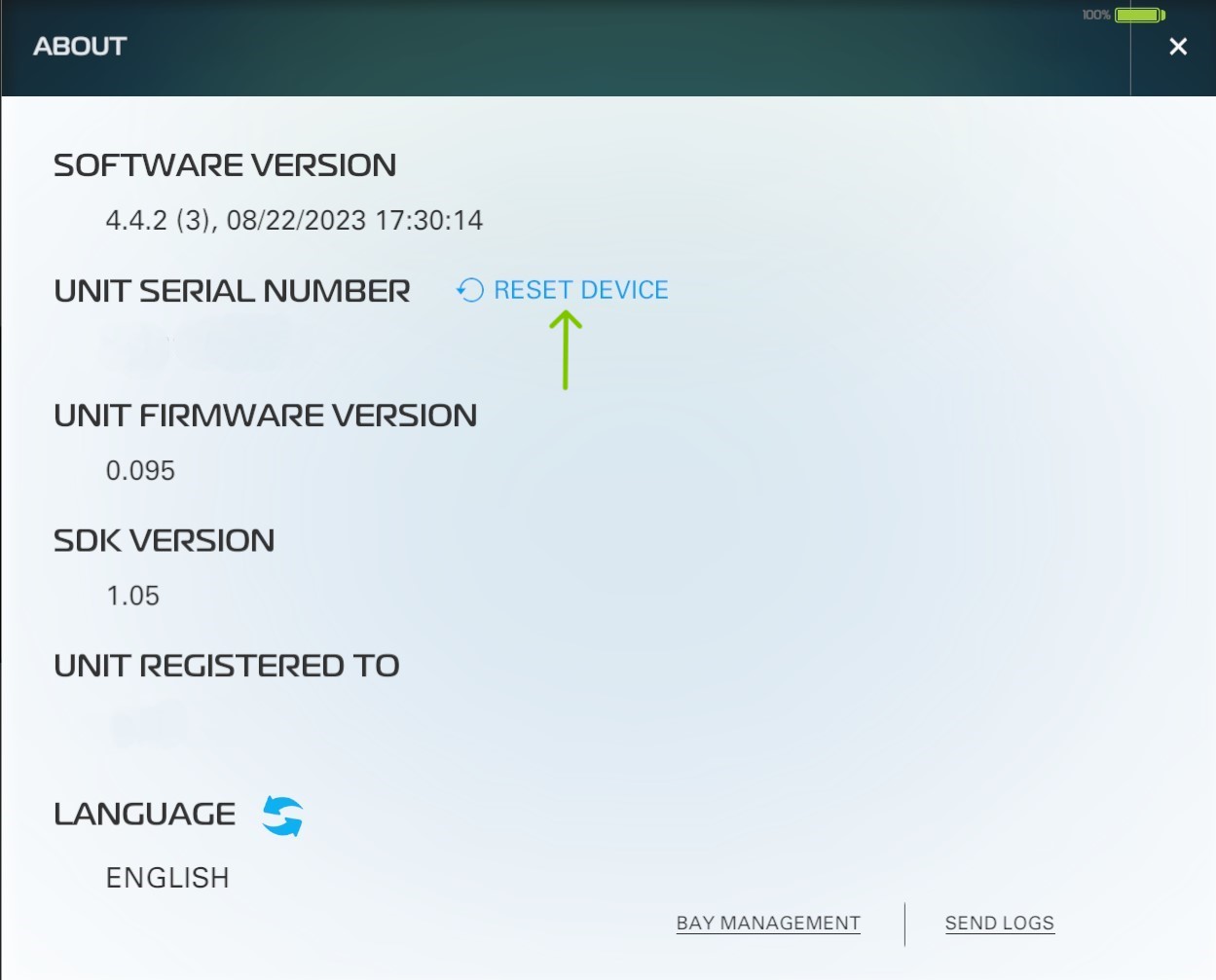
4: Click on reset next to your serial number:
5: Select "Yes" to rest your unit: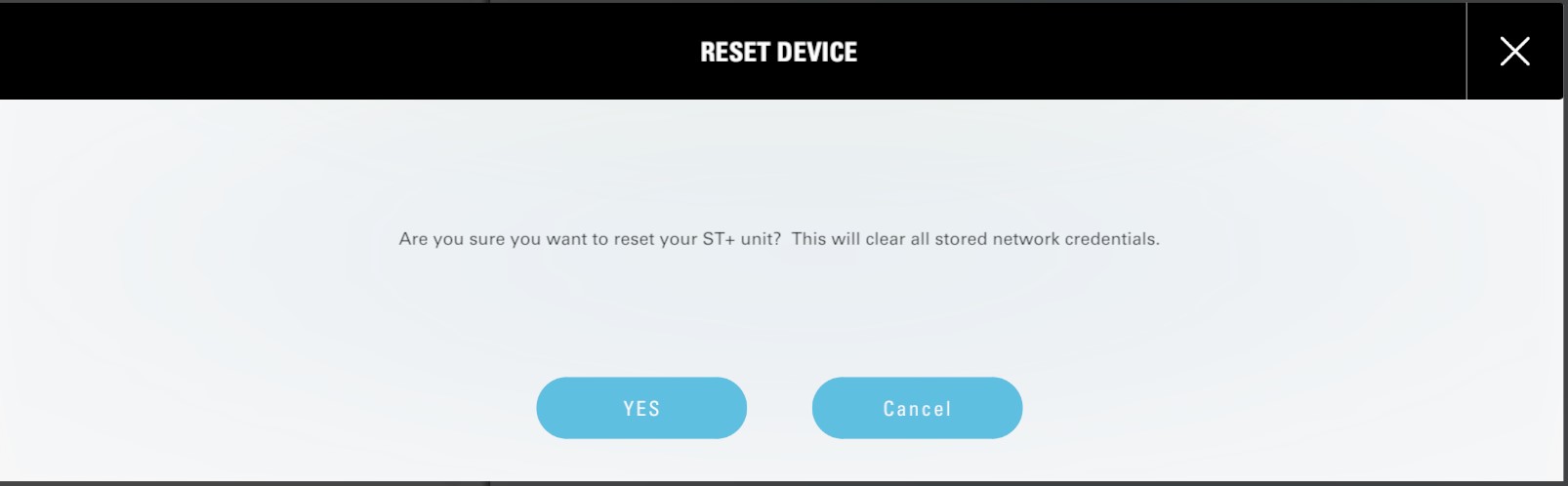
6: Once you see Red Check, Red WiFi and Green Power. Turn off the unit and turn it back on:
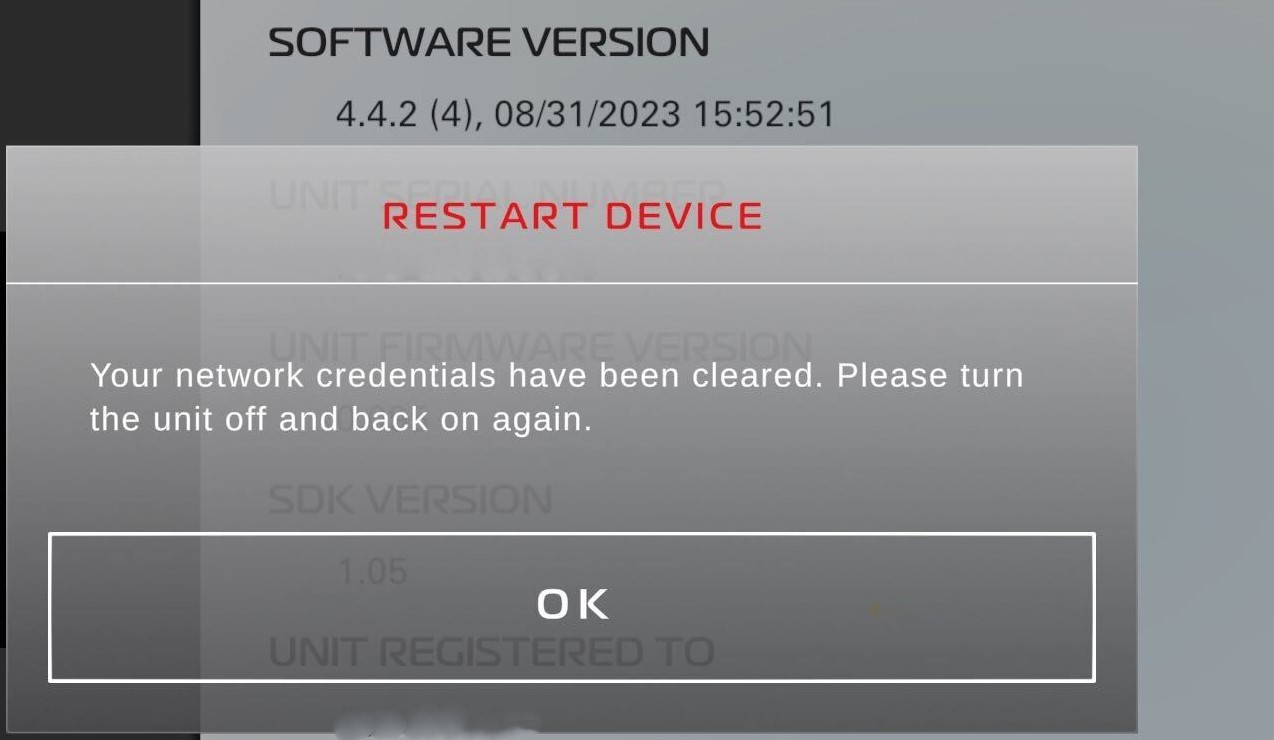
You have now successfully reset your SkyTrak +

